


My Facebook Profile Has Been Disabled. What Are My Options?

My Facebook Profile Has Been Disabled. What Are My Options?
The short version: If your personal Facebook account has been disabled, you're not out of options. What you do next depends on how urgently you need access, whether you want the original account back, and what resources you have. This post covers every realistic path forward, from quick workarounds to professional recovery.
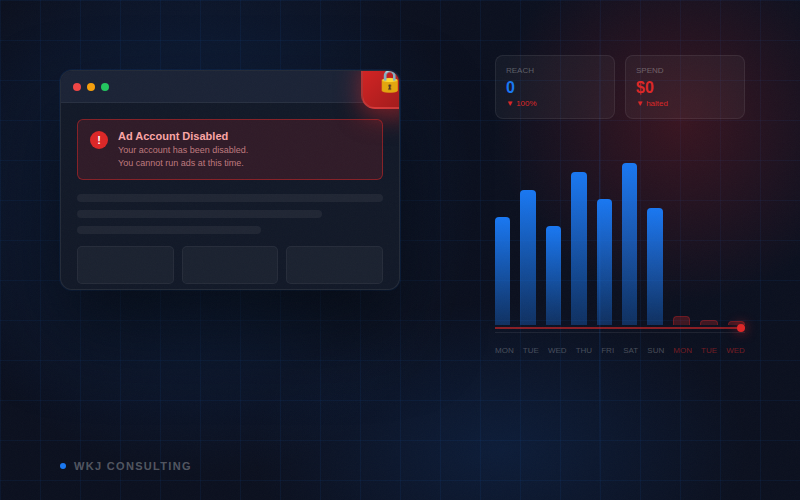
It starts with a notification. Your Facebook account has been restricted, or worse, permanently disabled. A tool you've relied on every day for work is just gone. If you manage client Facebook Pages, run ad campaigns, or access Business Manager through your personal profile, the consequences go well beyond a frustrating login screen.
This is one of the most common situations I help clients work through. Freelancers and social media managers are especially exposed because Meta's entire Business Suite is built around personal profiles. When your profile goes down, everything connected to it goes with it.
Here are your options, in the order I'd usually suggest tackling them.
Why Does This Happen?
Meta's automated moderation systems are built primarily to catch spammers and bot networks. The algorithm looks for patterns: unusual login locations, rapid account creation, policy-adjacent activity. Unfortunately, it regularly sweeps up legitimate users in the process.
Some common triggers I've seen:
- Logging in from shared or public Wi-Fi (co-working spaces, hotels, airports)
- Failing an identity verification video, especially when done on an unfamiliar device or network
- A suspected compromise attempt that Meta flagged, even if you caught it early
- Running ads in categories that trigger policy review
- General "community standards" violations, sometimes with no clear explanation
Meta doesn't always tell you exactly why it happened, and appeals through normal support channels can drag on for weeks with no real update. If you've already been waiting over a month, you know exactly what that feels like.
⚠️ One thing to know upfront: If your account is permanently disabled, Meta's standard appeal process is unlikely to restore it on its own. That's why it's worth understanding your alternatives, including options that can get you back to work now, regardless of what happens with the original account.
Your Options, Explained
Option 1: Use a Trusted Person's Facebook Account Fastest
This is the fastest path back to your client accounts. Meta's Business Suite lets you be added as an admin or team member using your name and email, and that doesn't have to match the Facebook account you're actually logged into. Colleagues, clients, and anyone you work with will only see the name and email you provide, not the underlying Facebook account.
In practice, this means a partner, family member, or close friend can let you use their Facebook account temporarily, and none of your professional contacts will know or care.
How to make it work:
- Have whoever currently has access to your client assets send an invite to your professional email address.
- Link that invite to your borrowed Facebook account. Your name and email will show, nothing else.
- Before using the borrowed account for business, subscribe it to Meta Verified ($14/month) on that person's device. This reduces the risk of the account getting flagged.
- Use a different browser than you normally use for Facebook. Chrome for everything else? Use Safari or Firefox for this account. Meta tracks hardware addresses through the browser, not the machine itself.
- Add multiple 2FA methods so both you and the account owner can log in without constantly exchanging codes.
💡 Who to choose: A partner who lives with you is ideal. Same location, same IP, nothing unusual. Avoid using an account from someone in a different country, as cross-country logins on the same account are a reliable flag. A less-used account with Meta Verified on it is actually safer than an active one.
Option 2: Log Into Business Suite via Instagram Limited Functionality
Meta does technically allow Instagram accounts to access Business Suite. If you have a personal Instagram account (or can use one), you can accept an invite and log in that way.
The catch is real: Instagram-based logins come with reduced functionality. Events Manager is largely inaccessible. Ad campaigns originally created under a Facebook account often won't appear. The experience is inconsistent, and Meta rolls out updates to different users at different times, so what works for one person may not work for another.
That said, it's worth testing, especially if you're stuck and someone can send you an invite right now.
Option 3: Create a New Facebook Account (After a Waiting Period) Timing Matters
If recovering your original account isn't a priority and there's nothing critical tied to it, creating a new personal Facebook account is a workable long-term path. The timing and approach matter a lot though.
Creating a new account immediately after being disabled is a quick way to get that one disabled too. Meta's systems are watching for exactly this pattern. Wait at least 30 days before trying. 60 is better.
When you do create a new account:
- Don't immediately connect it to any business assets. Use it as a normal Facebook account first. Browse, engage, build some history.
- Subscribe to Meta Verified as soon as possible. It's the most effective protection against future issues.
- Give it a few weeks of normal activity before connecting it to Business Suite and client accounts.
Option 4: Professional Account Recovery Service Professional Help
For permanently disabled Facebook accounts, there are professional recovery services that work outside the standard appeal process, typically through escalation channels not available to regular users.
This is something I offer at WKJ Consulting. You fill out a brief form with the details I need, I review it and send a quote, and if you want to move forward we sign a contract. There's a full refund guarantee if the recovery doesn't work, and turnaround is typically one to two business days once the process is underway.
I'll be straight with you: it's not cheap. Most cases come in at $3,000 to $5,000. And because this process runs through Meta's internal systems, availability isn't always consistent. There are periods when it's simply not operational.
If cost isn't the main concern and you need your original account back, it's worth a conversation to see if your situation is a good fit.
What Should You Do Right Now?
If you're in an active situation and need to get back to client work as quickly as possible, here's the order I'd suggest:
- Assess who currently has access to your client assets. Is there a former colleague, another admin, or a client contact who can still get in? Get them to consolidate access to one trusted person (a brother, a colleague, whoever) who can then send invites.
- Find a trusted person whose Facebook account you can use temporarily. A partner or family member who lives with you is ideal. Set up Meta Verified on their account before you log in for business, and use a different browser than usual.
- Try Instagram login as a quick test to see what access it gives you in your specific situation. It's worth five minutes to check.
- Start the clock on your waiting period if you want to eventually create a new account. Mark 30 to 60 days out and don't rush it.
- Consider professional recovery if your original account has assets, history, or identity tied to it that can't easily be rebuilt, and if the cost makes sense for what you'd get back.
🔒 Going forward: Whatever account you end up using long-term, subscribe it to Meta Verified before running ads or managing client assets through it. It won't make you immune, but it's the single most effective step you can take to reduce the chances of this happening again.
Common Questions
Will my device or IP address be flagged if I use a new account?
Almost certainly not. In the vast majority of cases, it's the Facebook profile that gets flagged, not the hardware or IP address. IP bans do exist, but they're rare and usually happen when someone repeatedly creates new accounts right after being banned, a pattern that looks like bot or spam activity. Using a different browser is a sensible precaution, but your device itself is very unlikely to be the issue.
Can I just create a new Facebook account straight away?
Technically yes, but it's risky if done straight after a ban. Meta's systems are looking for exactly this pattern, and a second account can get flagged quickly, especially if you connect it to ad accounts right away. Waiting 30 to 60 days and warming the account up gradually is a much safer approach.
Will anyone know I'm using someone else's Facebook account in Business Suite?
No. Business Suite only shows the name and email associated with your team member profile, not the underlying Facebook account. Your clients and collaborators will see your professional name and email. The Facebook account behind it is invisible to them.
What does Meta Verified actually do, and is it worth it?
Meta Verified ($14/month) adds identity verification and a blue checkmark to your account. More importantly, verified accounts are significantly less likely to be disabled without cause. Meta has a financial relationship with you and a verified identity on file. It's not a guarantee, but it's the most practical protection available. For anyone managing client accounts professionally, it's well worth the cost.
What if none of these options work for me?
Get in touch. Every situation is a bit different, and there are sometimes routes worth exploring that a general guide won't cover. A free 15-minute call is usually enough to figure out the best next step for your specific case.
Need Help Getting Back Into Your Accounts?
WKJ Consulting specializes in Meta account recovery and Business Suite access. If you need a quick strategy session or want to explore professional recovery, book a free 15-minute call and we'll work out the best path forward for your situation.
Book a Free Consultation


.png)
